
Google · 2026-04-14 · notable
Google Chrome Skills — Reusable Gemini Prompt Workflows in One Click
Google Chrome's Gemini panel gains Skills — saved, reusable AI prompts triggered with a single click, running across any open tabs. Ships with a pre-built library covering productivity, shopping, and budgeting.
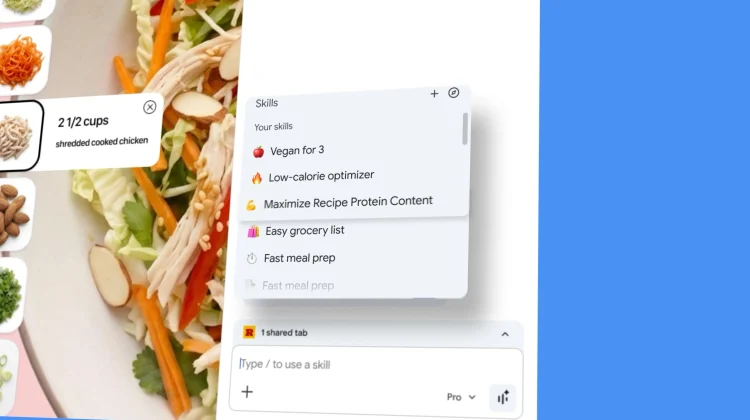
Save your best Gemini prompts as named one-click tools in Chrome and run them on any page.
What is it?
Skills is a new feature in Google Chrome's Gemini side panel that lets you save frequently used AI prompts as named, reusable actions. You trigger them with '/' or '+' from the panel, pick which open tabs to include, and the Skill runs immediately. Google ships a pre-built Skills Library covering productivity, shopping, recipe lookup, and budgeting.
How does it work?
Skills are stored per-user in the Chrome Gemini panel. You create a Skill by naming a prompt or choosing from the built-in library. When triggered, the Skill sends the prompt to Gemini along with content from the selected browser tab(s) and returns the result inline in the panel. Multiple tabs can be included in a single Skill run.
Why does it matter?
This brings persistent, user-defined prompt automation into the most-used browser without extensions or API keys. Common patterns like 'summarize this page for my notes' or 'compare prices across these tabs' become one-click operations, cutting out repetitive re-prompting for everyday tasks.
Who is it for?
Chrome users who repeat the same Gemini prompts across multiple sessions.
Try it
Open the Gemini panel in Chrome and tap '+' to add a Skill from the library or create your own.